Read the room's tempo.
Point your phone at the music and Beatpin reads the BPM live — through the crowd, the mic, the reverb of a real room. No tapping along. No account. No ads. Nothing leaves your phone. Just the number, the moment you need it.
Stop tapping along.
Almost every BPM app makes you tap the beat with your thumb — fine for a quiet song at your desk, useless in a live room. Beatpin just listens and tells you the tempo. No tapping, no counting, no hunting for the track online afterward.
And no ads blinking over the readout, no number ricocheting between 70 and 140 — just a tempo that locks and holds.
Learn how to find BPM liveNo more half-time guessing.
Weak-kick tracks and big remixes fool ordinary detectors into reading half or double the real tempo — 90 when it's 180, 65 when it's 130. Beatpin keeps the ½ and 2× alternatives in view beside the number, and a tempo range locks the octave for your kind of music — so you read the tempo you actually move to, not the one the algorithm guessed.
A closer look
Every screen, and how to use it — the live readout, ranges and tracks, plus the depth Pro adds on top.
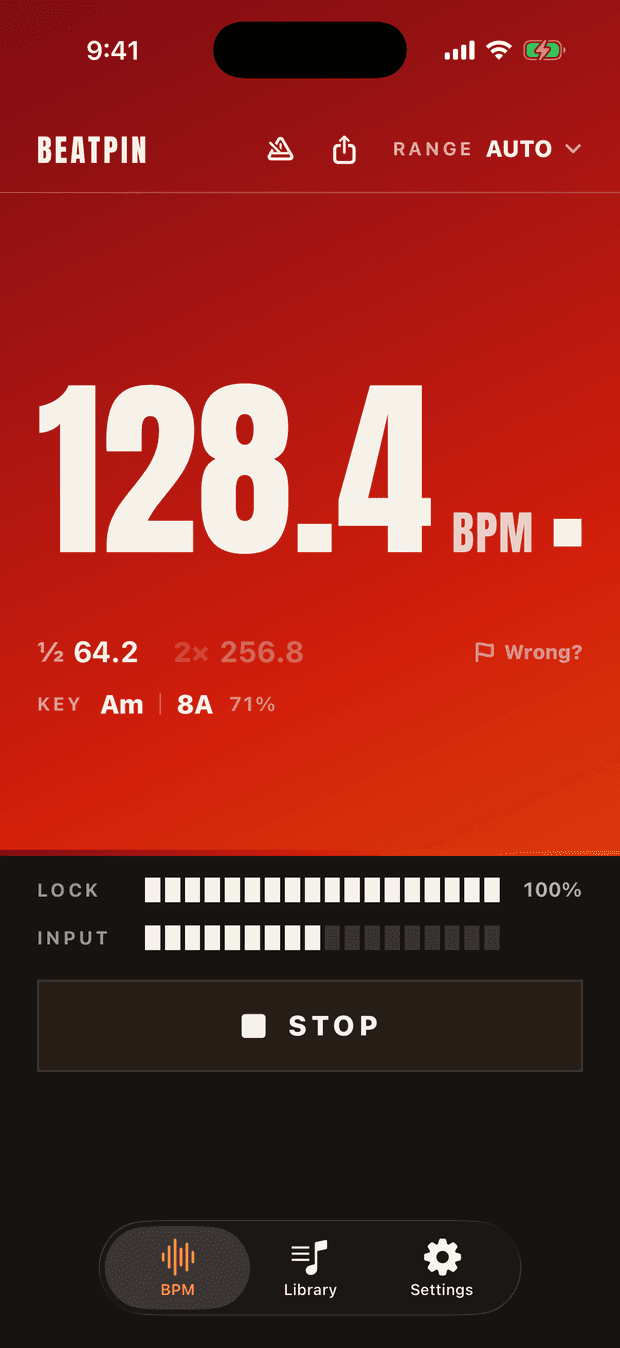
The readout
A number you can read across the room
- What's the little square next to the BPM?
- A beat marker — it snaps on every beat at the detected tempo, a metronome you can see. Prefer just the number? Turn the square off in Settings › Display.
- It says 128 but the room feels slower.
- Beatpin reads the tempo to a tenth — 128.4 — and keeps both octave alternatives in view: ½ 64.2 and 2× 256.8. So you can read the tempo you actually move to, not the one an ordinary detector guessed. Pick a range and it locks the octave so it stops happening.
- What do LOCK and INPUT show?
- LOCK is confidence, filling to 100% as the read firms up — trust the number when it's full. INPUT is the mic level; if it stays low, the music's too quiet or your hand's over the mic. Press LISTEN to start, STOP when you're done.
- What's the KEY Am · 8A chip? · Pro
- The song's musical key and its Camelot code (8A), for harmonic mixing — 71% is how sure Beatpin is of the key. A Pro feature.
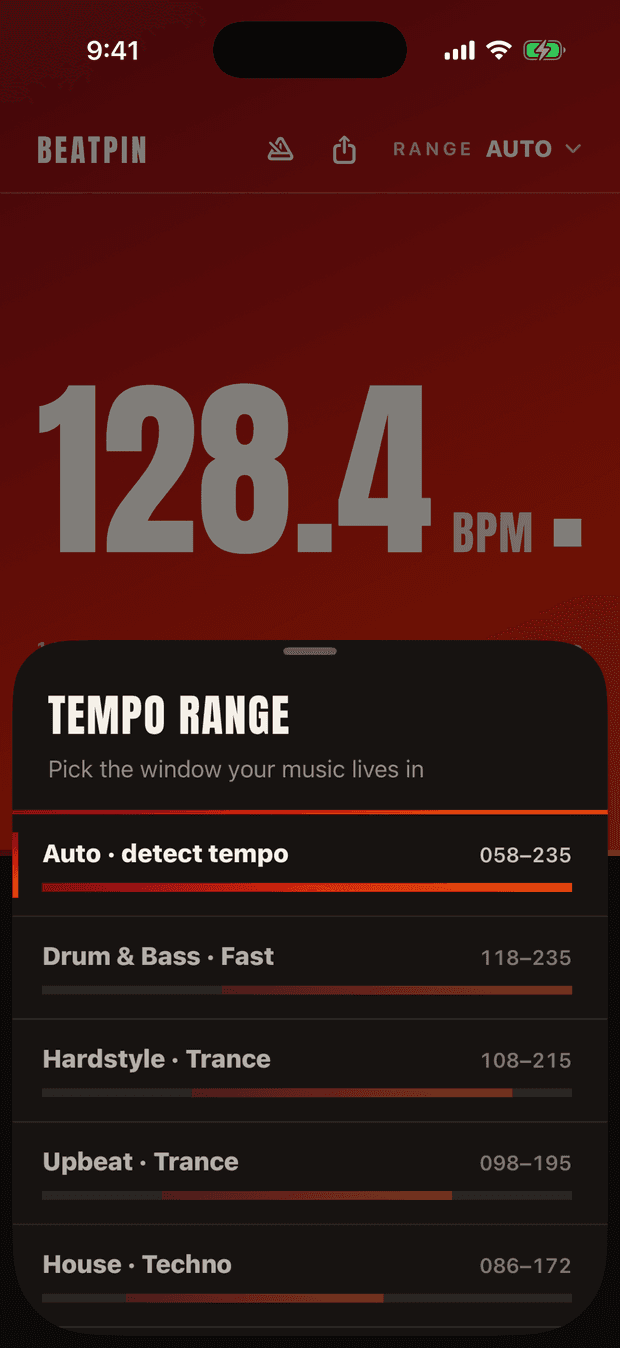
Tempo range
A range for every floor
- Why pick a range?
- A range tells Beatpin which octave your music lives in, so it can't drift to half or double the real tempo. It's the single biggest fix for a wrong reading.
- What are the bands?
- Each genre gets a window with a spectrum bar — Hardstyle · Trance 108–215, House · Techno 086–172, Club · Garage 078–155, Groove · Hip-Hop 068–135, and more. Tap RANGE at the top of the readout to switch.
- What if I don't know the genre?
- Pick Auto and Beatpin finds the range for you. Ranges are for when you already know the floor and want to lock the octave down.
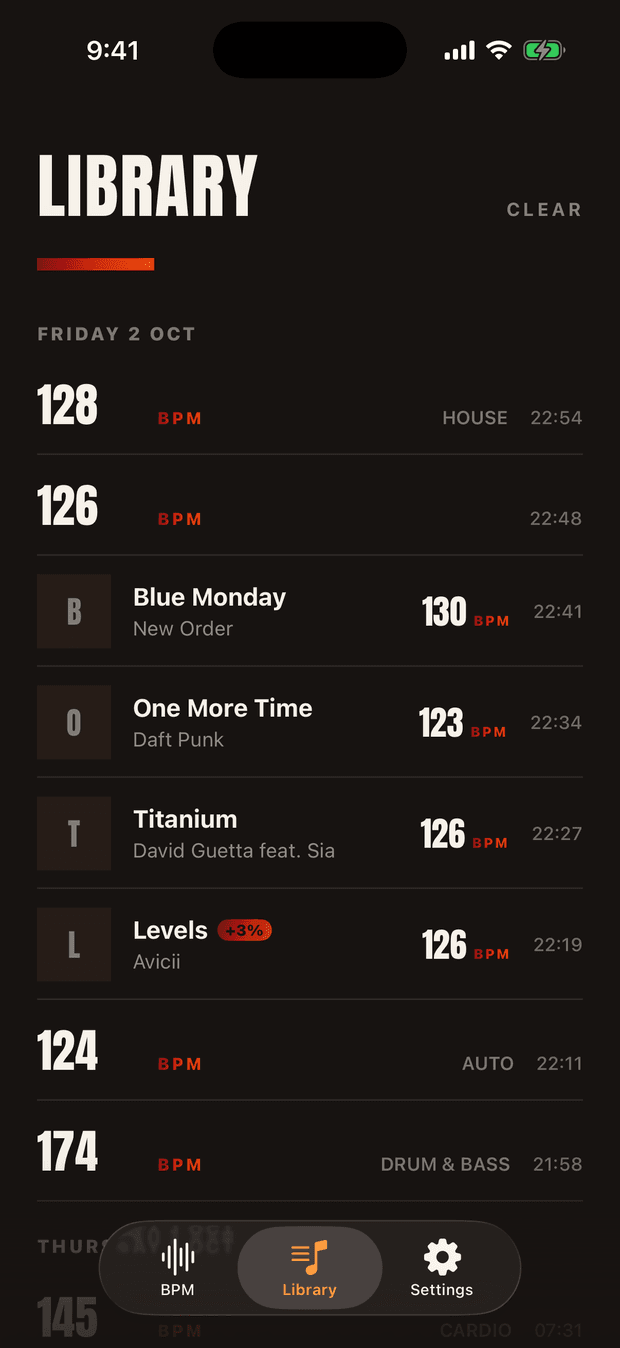
Library
FreeEvery track and every lock, logged
Powered by Shazam
- What's in it?
- One timeline, grouped by day: every lock Beatpin took — 128 BPM, HOUSE, 22:54 — and, with song recognition on, the tracks Shazam named while it listened: title, artist, and the tempo the room was running when they played. Blue Monday, 130. One More Time, 123.
- Is that BPM the real one?
- It's Beatpin's own read, taken live — not a database value. So it's right even for a club edit or a sped-up remix the catalogue lists at a different tempo; a +3% badge means the track played pitched up.
- How much is kept?
- Your last 15 reads and 10 tracks stay open on the free tier; older entries remain on the phone, locked, and unlock the moment you go Pro — which keeps your latest 1,000 of each. No account, nothing in the cloud.
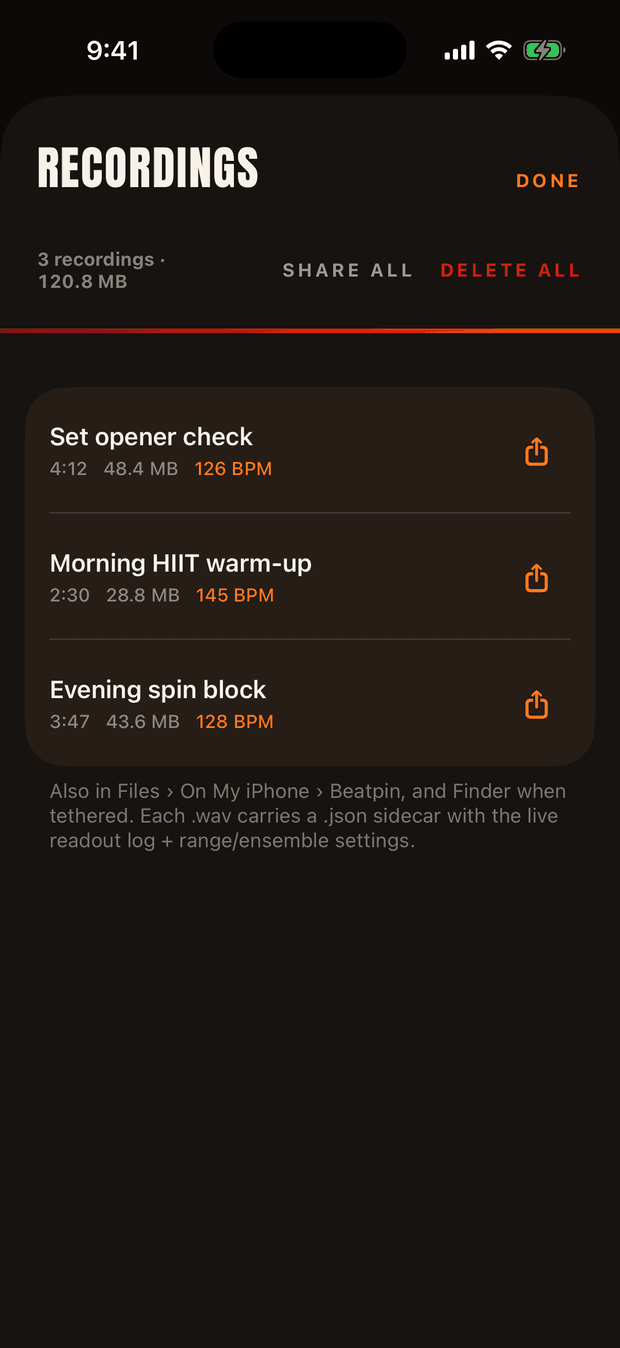
Recordings
ProRecord the session
- What does it capture?
- Exactly what the detector heard — an uncompressed WAV plus a sidecar log of the live readout and your range settings. Play a set back and see why a tricky track locked where it did.
- How big are recordings?
- About 10 MB a minute, uncompressed — a 4-minute set opener is roughly 48 MB. Each file shows its length and size, with a running total up top (120.8 MB across three here).
- How do I keep storage in check?
- DELETE ALL clears everything at once, or set auto-delete to 7, 30 or 90 days in Settings › Recording. Rename, share or export any file — they're also in Files › On My iPhone › Beatpin. Audio never leaves your device unless you share it.
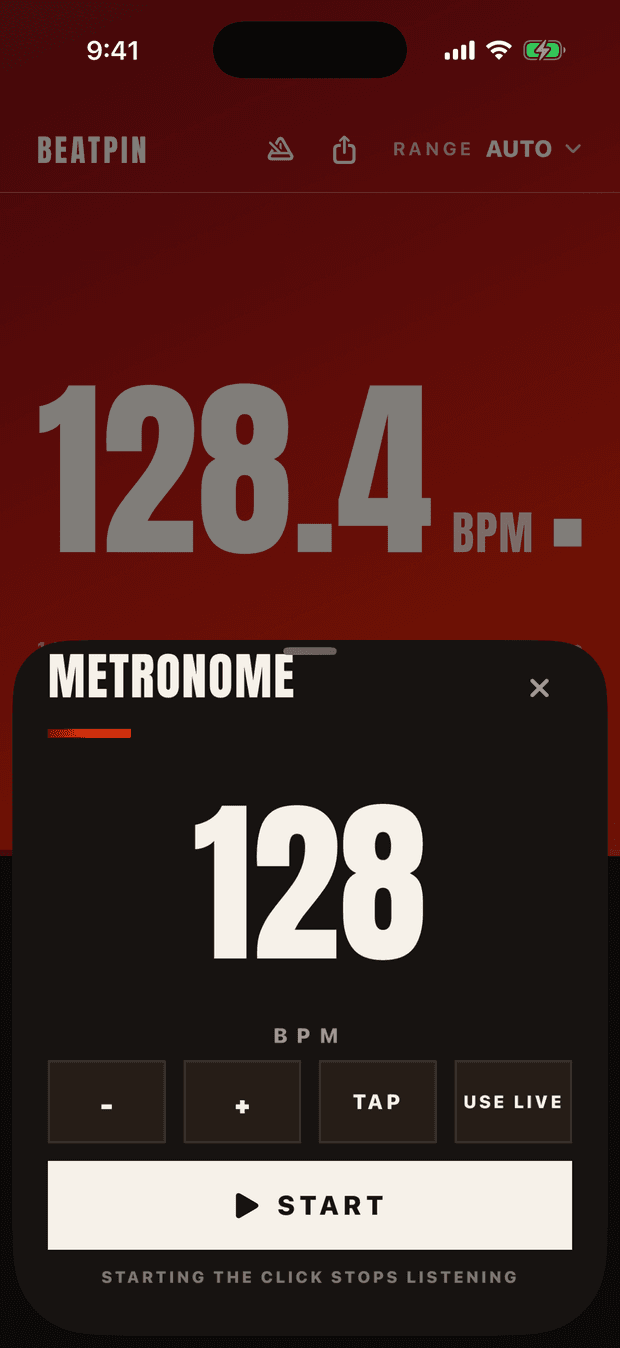
Metronome
ProLead the room
- How do I set the tempo?
- Nudge it with − and +, or TAP a few beats to set it by hand. USE LIVE adopts whatever Beatpin is detecting right now — read a track, then click along to it.
- Does it click while detecting?
- No — starting the click stops the mic, since the phone can't play a beat and listen for one at once. It's a click with haptics for when you want to lead the room, not follow it.
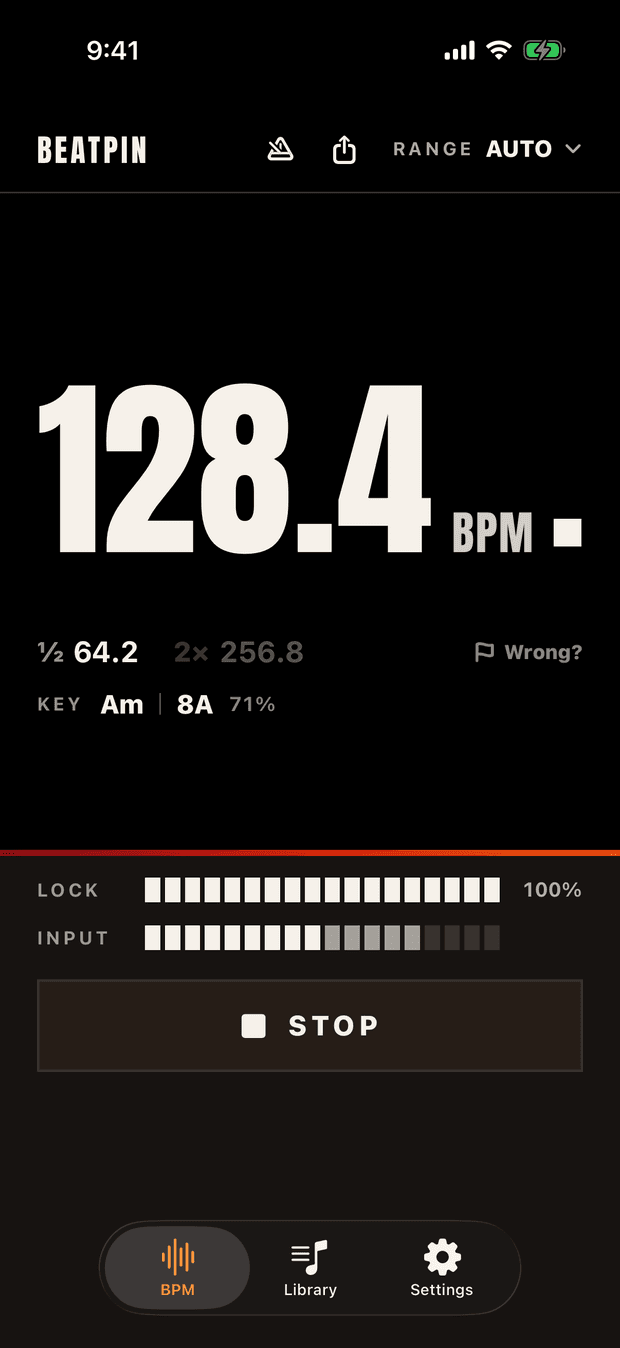
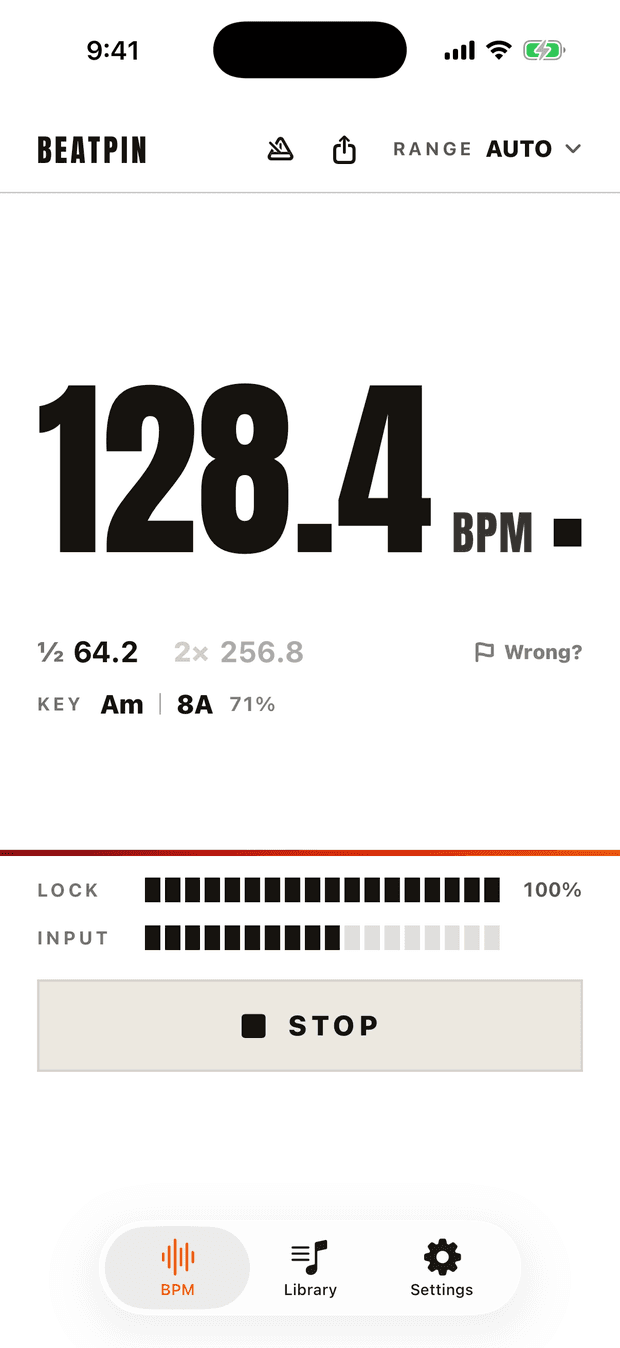
Appearance
Match the lighting
- Can I read it in a bright studio?
- Three schemes: the ember signal by default, high-contrast Light for a sunlit room, and Dark for a dim spin studio. Switch any time in Settings › Appearance.
- Does the screen go dark mid-set?
- No — Beatpin keeps the screen awake while it's listening, so the number never disappears on you, and releases it when you stop.
Built for the rooms you actually work in
All guides

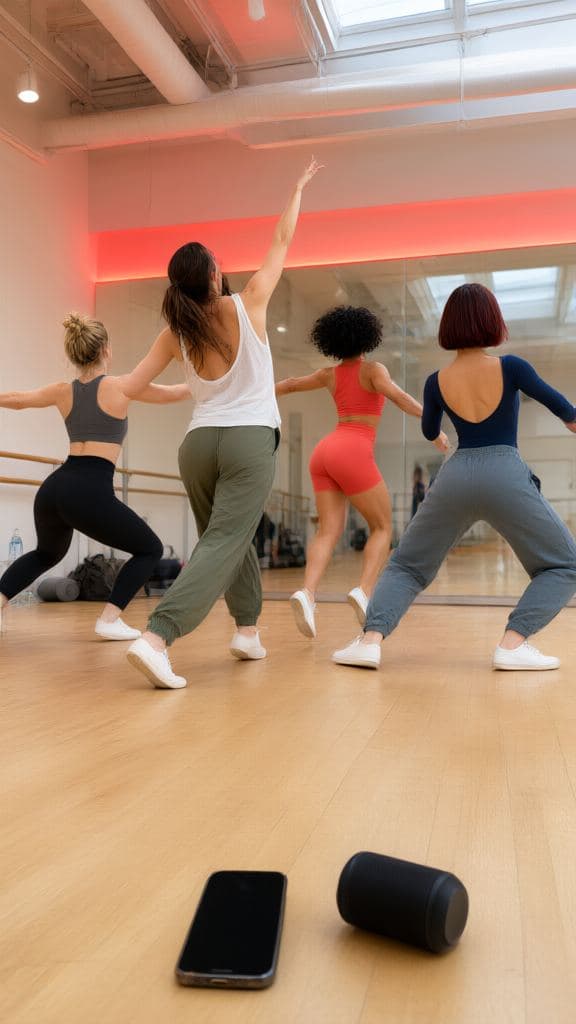
Made for people on the beat
For the people whose job, set or run lives or dies by the tempo — and who need to trust the number instantly, in the real, loud room.
Spin · HIIT · Zumba
Run the room, not a stopwatch.
You're not playing music — you're driving a room. Read each track's tempo live while your mic is hot and the floor is loud, and build your climbs, sprints and recoveries around the beat instead of guessing at it.
House · Techno → Cardio · Run, one tap
Read the guideDJs
Lock the next track before the drop.
Beatmatch the white-label record, the live edit, the bootleg your software refuses to read. Beatpin listens to the room — not a file — and locks a decimal-precise BPM fast enough to trust mid-transition, with a confidence meter so you know when it's sure.
Octave-aware · ½ and 2× always in view
Read the guideRunners · riders
Find your cadence. Hold it.
Match your stride or your RPM to whatever's already playing — no separate click track to run to. The Cardio · Run range folds slow tracks up to your step rate, so a 90-BPM song reads as the 180 steps a minute you actually run.
Cardio · Run · 90 BPM reads as 180 spm
Read the guideBuilt for the noisy room
Hot instructor mics, crowd noise, footfalls, a room full of reverb — the conditions that make ordinary detectors jump to half-time or lock onto a clap. Beatpin's multi-band engine listens past all of it, holds the tempo steady, and would rather wait a beat than show you a wrong number.
It's a clean-room engine built on Apple's Accelerate framework and tuned against real gym and DJ sessions — not a generic library that gives up when the room isn't a recording studio.
You can watch it happen: a lock meter fills as the read firms up, so you trust the number when it's sure — and never when it isn't.
What it does
Live from the first beat
A provisional tempo appears within seconds and sharpens into a locked, decimal-precise BPM as the read gets surer — no spinner, no waiting on a result.
A range for every floor
House · Techno, Hardstyle · Trance, Drum & Bass and more — octave-aware windows that kill most half / double errors. Or pick Auto and let Beatpin find the range.
Name the track
Turn on song recognition and Shazam names what's playing in your Library — title, artist, artwork — alongside the tempo Beatpin read. On by default; switch it off any time.
On your Lock Screen
A Live Activity keeps the live BPM on the Lock Screen and in the Dynamic Island, so you can glance down mid-set without opening the app.
Match the room
The ember signal display by default, plus high-contrast Light and Dark schemes — big enough to read from the bike or the back of the booth, in a bright studio or a darkened spin room. The screen stays awake while you listen.
No ads, ever
The iOS app has no ads, analytics, account or sign-up. Your settings, history and tracks stay on your device — nothing to lose, nothing to leak.
Free forever. Pro if you want depth.
Everything above — live, uncapped BPM detection, octave readout, ranges, the Lock Screen readout, live track ID — is free, with no ads and no account. That doesn't change, ever. Beatpin Pro is a one-time unlock for the people who want to keep and deepen what they detect. Never a subscription.
Free · forever
- Live BPM detection — unlimited, no time caps
- ½ and 2× octave readout + a range for every floor
- Live Activity on the Lock Screen
- Live Shazam track ID + the shareable BPM card
- Your last 15 reads and 10 tracks, saved on-device
- No ads, no account — ever
Pro · US$9.99 one time
- Musical key + Camelot code beside the tempo
- Unlimited saved-track library and BPM history
- Session recording and export
- A standalone metronome
7-day full preview for everyone · pay once, own it forever
Private by design
Beatpin analyses sound on your device to find the tempo — it isn't recorded or sent anywhere. If you turn on song recognition, an acoustic fingerprint is sent to Apple's Shazam service to identify the track; Beatpin never receives your raw audio. The iOS app has no sign-up, analytics or advertising.
Read the privacy policyPin the beat.
Walk in, point your phone, and read the tempo everyone else is guessing at. No account, no ads — nothing between you and the number.


Free on the App Store