BPM tracking for spin instructors
When you are coaching, cueing, and watching the room, tapping a beat into your phone is one task too many. A live detector keeps both hands free and gives you a tempo reference from the music already playing in the studio.

The quick answer
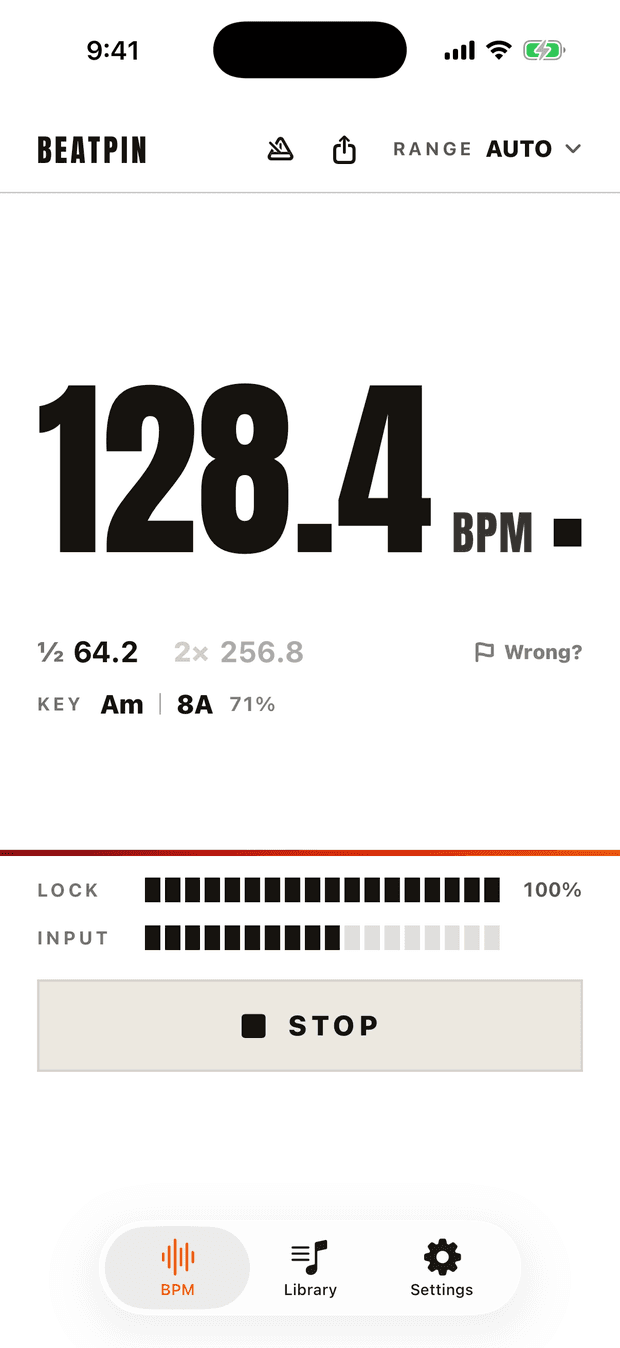
Start Beatpin before class or enable auto-start listening, point the iPhone toward the studio speakers, and use a range that matches the work. Cardio · Run can show a cadence-level interpretation—for example, folding a 90 BPM track to 180—while music ranges show the track's own tempo.
Do it live
Set up before the room fills
Place the iPhone where you can glance at it without changing your riding position. Keep its microphone clear and point it toward a speaker rather than your own instructor monitor or fan.
Choose music tempo or movement cadence
Use a genre range when you want the track's BPM. Choose Cardio · Run when a doubled cadence is the useful number, such as interpreting 90 BPM as 180 steps or pedal strokes per minute.
Wait for the lock before cueing from it
The provisional number appears quickly, but the Lock meter tells you when the reading has settled. Breakdowns and spoken sections may temporarily provide too little rhythm.
Keep the read glanceable
Use Light appearance in a bright studio, Dark in a dim room, and Live Activity when the Lock Screen or Dynamic Island is easier to see than the full app.
BPM and cadence are related, not identical
A track at 90 BPM can support movement counted once per beat or twice per beat. Neither number is automatically wrong; the useful interpretation depends on what you are cueing.
Beatpin's range picker makes that choice explicit. Music ranges keep the reading near the song's conventional tempo, while Cardio · Run favors the higher movement cadence. The ½ and 2× alternatives remain visible when you need to translate between them.
A steadier read in a loud class
Instructor speech, footfalls, fan noise, reverb, and a room moving together all compete with the music. Beatpin uses multiple frequency bands and confidence gating to hold a supported tempo and pause when the evidence becomes ambiguous.
- Move the phone closer to a clear speaker if the Input meter remains low.
- Avoid using a Bluetooth headset microphone; it may hear your voice more clearly than the room's music.
- Let the display remain provisional during spoken intros, quiet recoveries, or percussion-free breakdowns.
- Use the reading as a programming and cueing reference, not as a substitute for rider-specific coaching or safety judgment.
Common questions
Should I use the track BPM or the riding cadence?
Use a music range when you want the conventional song tempo. Use Cardio · Run when the doubled movement cadence is more useful for your cueing style.
Will the screen stay awake during class?
Yes. Beatpin keeps the display awake while listening and releases that setting when you stop.
Can it keep listening from the Lock Screen?
Enable background detection and Live Activity in Settings. The current BPM can then remain visible on the Lock Screen and Dynamic Island.
Does Beatpin record my class audio?
Normal live detection does not record or upload audio. Pro session recording is a separate action that saves a WAV file only on your device until you share or delete it.
Run the room, not a stopwatch.
Read each track's tempo live while your microphone is hot and the floor is loud. Beatpin's core BPM detector is free, uncapped, and has no ads.